Integrations
Integrations are how Scriptiflow connects to the tools you already use — your vehicle marketplaces, your social accounts, and your messaging inboxes. Connect them once and your inventory, posts, and conversations all flow through Scriptiflow.
Where to find them
Open Integrations → All Integrations from the sidebar
(/dashboard/integrations). Every channel appears as a card with its current
status — Connected or Not Connected — and a Connect or Disconnect
button.
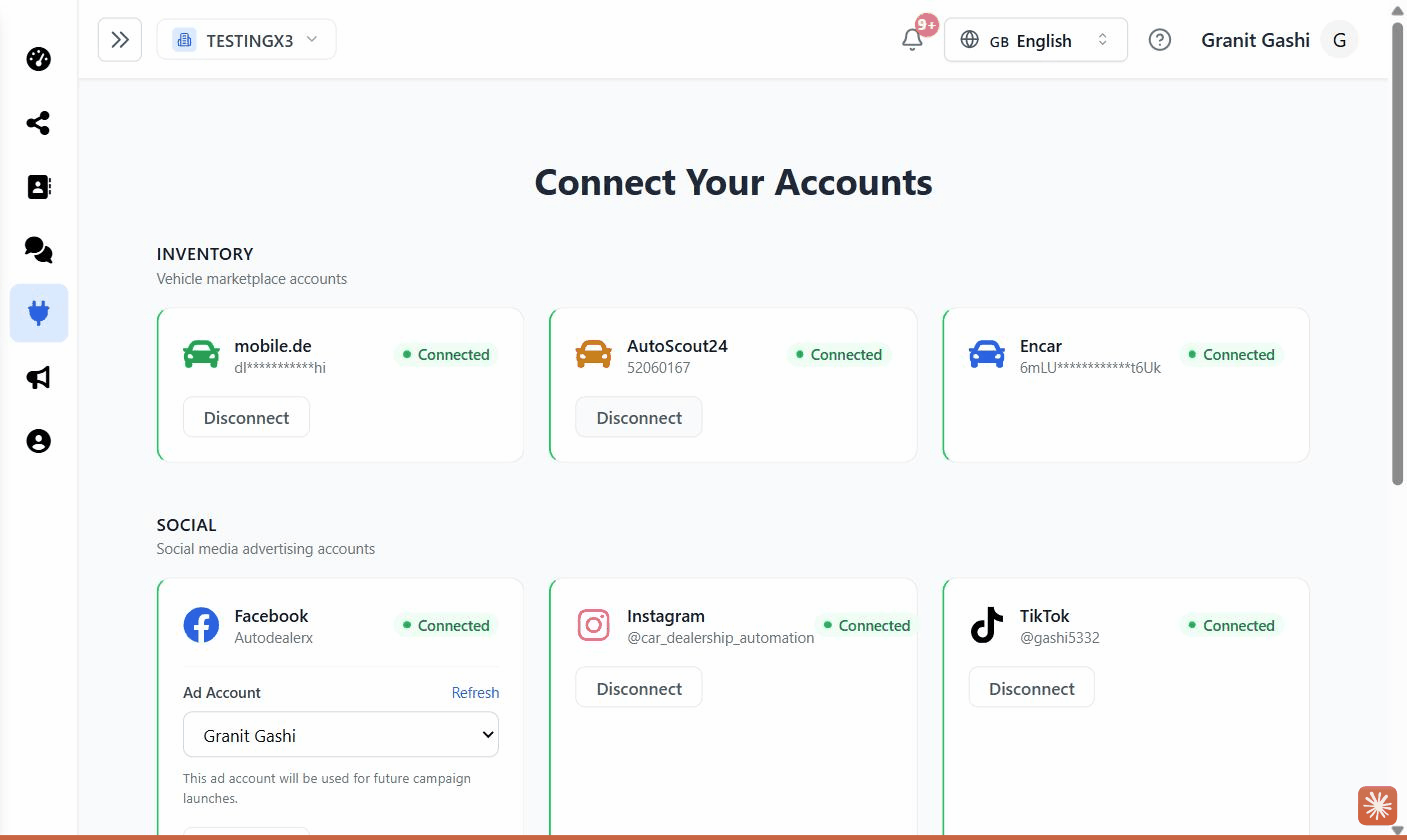
The hub is organised into three groups:
- Inventory — your vehicle marketplace accounts.
- Social — accounts you post and advertise from.
- Messaging & Email — inboxes you read and reply from.
Connect a channel
Which should I connect first?
Most dealerships start by connecting a marketplace (mobile.de or AutoScout24) so their inventory appears in Scriptiflow, then a social account (Facebook & Instagram) so they can post and run ads.
| I want to… | Connect |
|---|---|
| Pull my listings into Scriptiflow | mobile.de, AutoScout24 |
| Post and advertise on social | Facebook & Instagram, TikTok |
| Reply to DMs and messages in one place | Instagram DMs & Messenger, WhatsApp, Email |
| Auto-post new inventory automatically | mobile.de + Facebook/Instagram, then see Auto-posting |
| Show my Korean import stock on my own website | Korea Import API |
Disconnecting
To disconnect a channel, open the same card and click Disconnect. Your Scriptiflow data stays put — you just stop syncing or posting through that account until you reconnect.