Connecting Instagram DMs & Messenger
Scriptiflow can bring your Instagram direct messages and Facebook Messenger conversations into the app so you reply to customers without switching between phone apps.
The messaging inboxes are available on the Pro plan and above.
Facebook Messenger — connects automatically
You don’t connect Messenger separately. When you connect your Facebook Page, Scriptiflow subscribes to that Page’s messages automatically. New Messenger conversations then appear in your Messenger inbox.
If Messenger messages aren’t coming through, make sure your Facebook Page is connected and that Messenger is enabled for the Page in Meta Business Suite.
Instagram DMs — a separate connection
Instagram DMs use their own connection, separate from the Facebook/Instagram posting connection. This is because direct messaging needs a dedicated Instagram login.
Before you begin
- An Instagram Business or Creator account in good standing.
- You’re an admin/owner of that account.
Connect
Open the Integrations hub
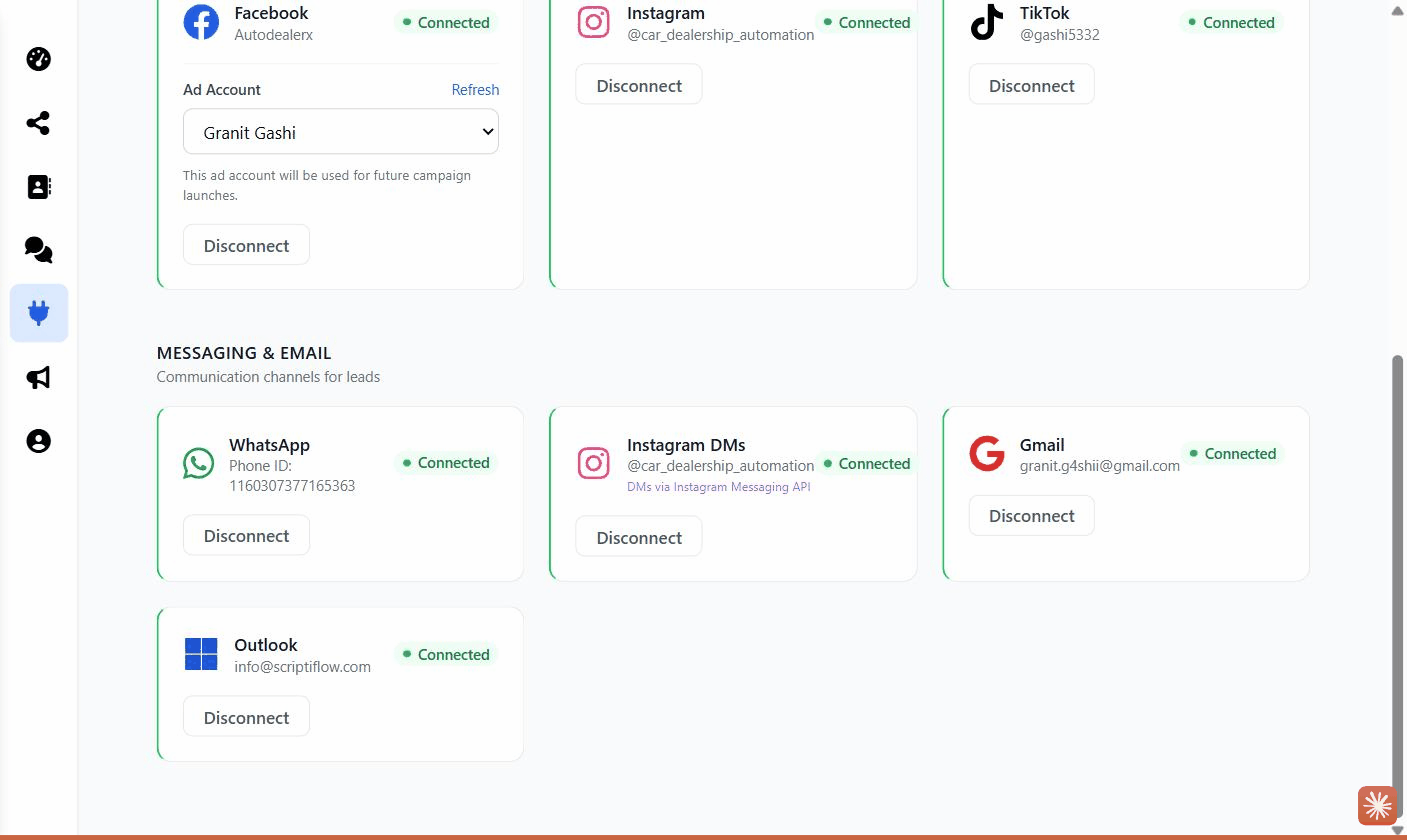
Go to Integrations → All Integrations, then scroll to the Messaging & Email section.
Click Connect on the Instagram DMs card
Log in and allow
An Instagram login window opens. Sign in and approve the request to read and send messages for your account.
Confirm
The window closes and the Instagram DMs card shows Connected with your
@username. Your conversations now appear in the
Instagram DMs inbox.
What this enables
- A live Instagram DMs inbox — read, reply, send photos/videos, and tag conversations as Lead, Customer, Sold, or Spam.
- A Messenger inbox for Facebook Page messages.
- New senders are added to your Contacts automatically.
Troubleshooting
Instagram DMs card won’t connect. The account must be a Business or Creator account (not personal). Switch it in the Instagram app under Settings → Account type, then try again.
Messages aren’t arriving. There can be a short delay after connecting. Open the inbox and click Sync. If it persists, disconnect and reconnect the channel.
“Pro required” on the inbox. The messaging inboxes need the Pro plan. See Plan & billing.