Connecting Email (Gmail & Outlook)
Connect your Gmail or Outlook inbox so Scriptiflow can spot car enquiries and let you reply to them from your Email inbox — without leaving the app.
The email inbox is available on the Pro plan and above.
Connect
Open the Integrations hub
Go to Integrations → All Integrations and find the Messaging & Email section.
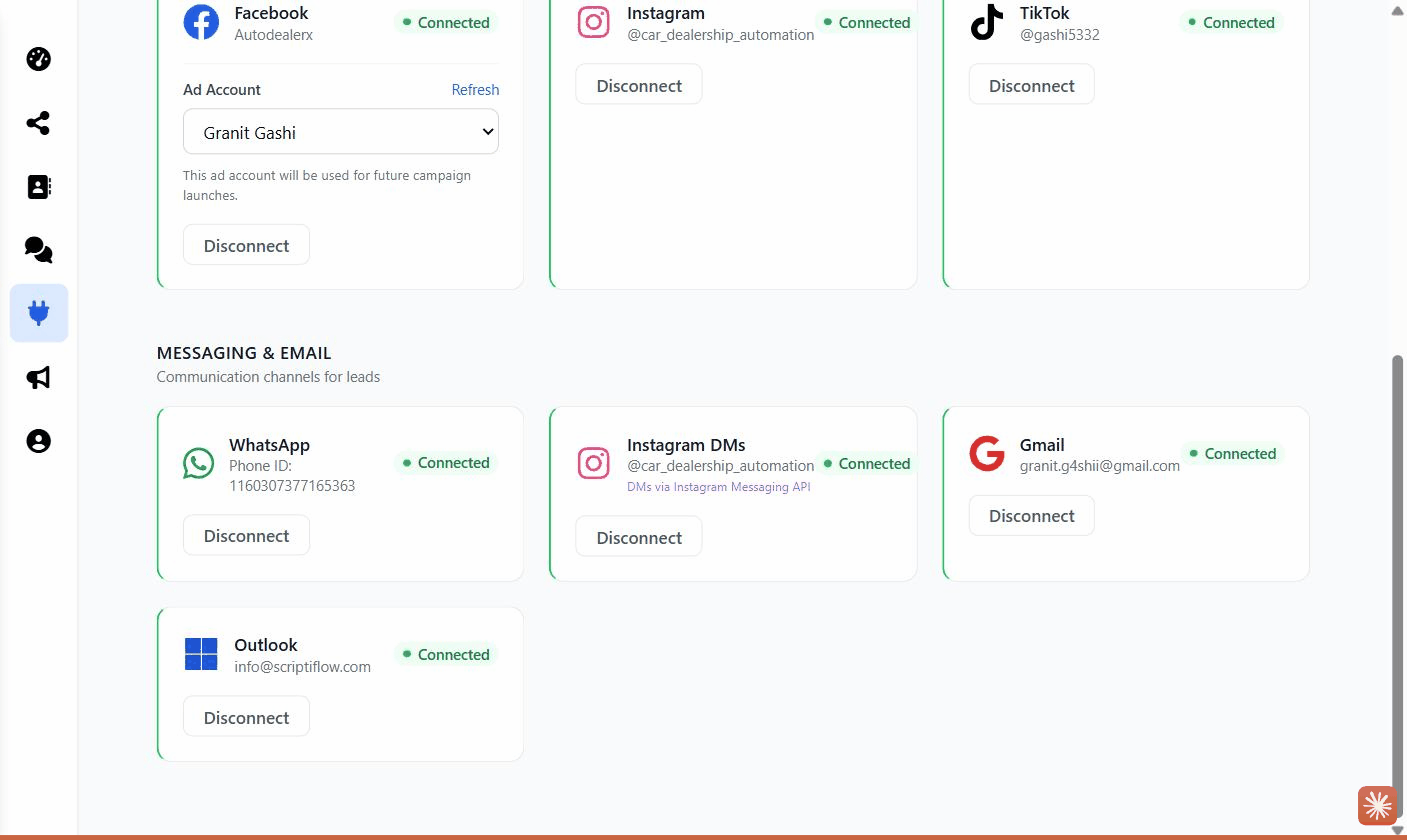
Click Connect on Gmail or Outlook
A secure Google or Microsoft sign-in window opens.
Sign in and grant access
Log in to the mailbox you want to connect and approve the requested access.
Confirm
The card shows Connected with your email address. New car-related emails start appearing in your inbox in Scriptiflow.
What this enables
- Incoming car enquiries are detected and surfaced in your Email inbox.
- Reply to leads from Scriptiflow, with the conversation tied to the contact.
Troubleshooting
I connected the wrong mailbox. Click Disconnect on the card, then connect again and choose the correct account.
No emails are showing. Only messages Scriptiflow recognises as car enquiries surface here — general mail stays in your normal inbox.