Connecting TikTok
Connecting TikTok lets you publish vehicle videos created in Scriptiflow straight to your TikTok account.
Before you begin
- A TikTok account (personal or business) that you can log into.
Connect
Open the TikTok card
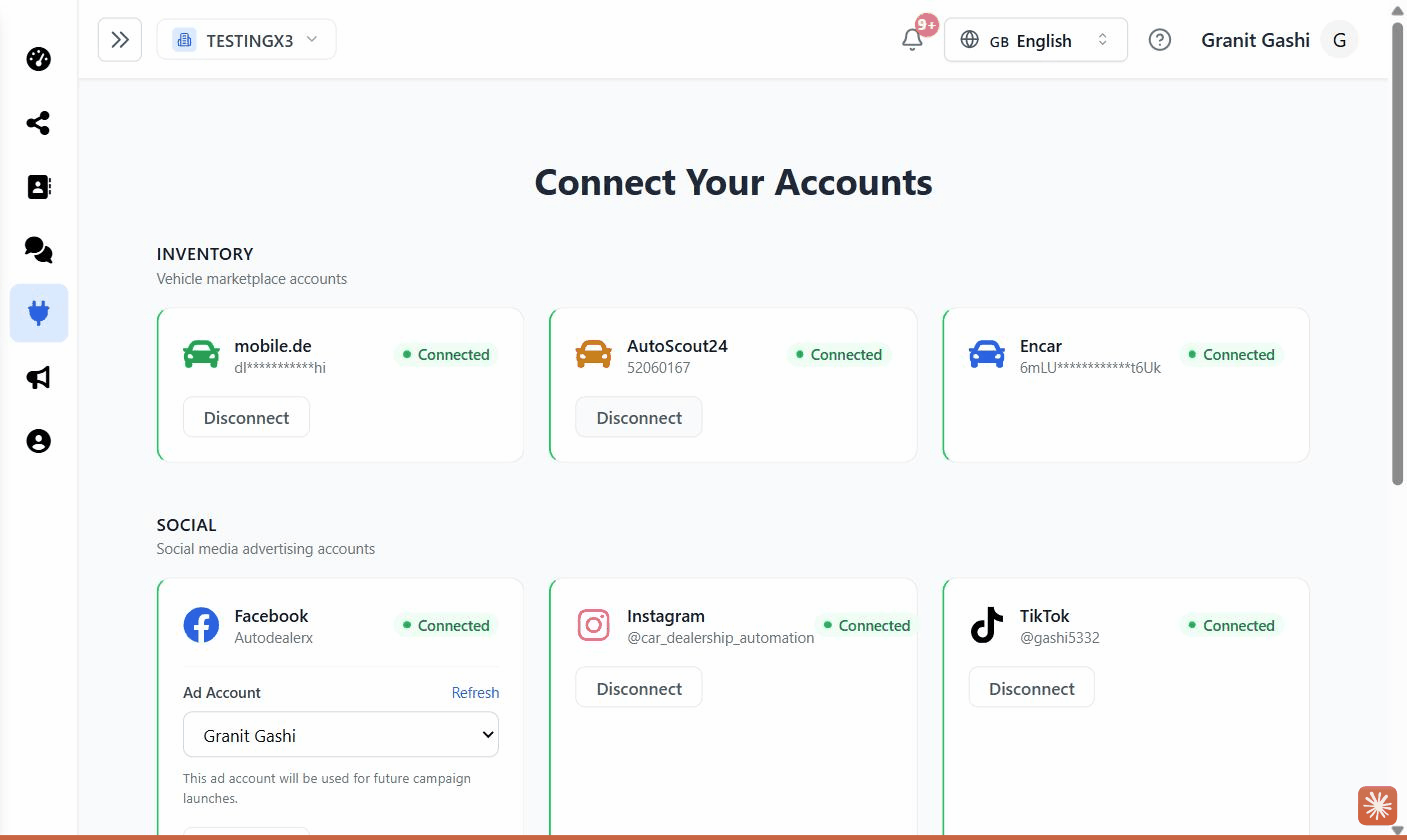
Go to Integrations → All Integrations → Social section, and click Connect on the TikTok card.
Log in to TikTok
You’re taken to TikTok to sign in (or confirm, if you’re already logged in).
Approve the permissions
TikTok asks to let Scriptiflow access your basic profile and upload/publish videos. Approve to continue.
Confirm
You’re returned to the Integrations hub with a Connected successfully!
message, and the TikTok card shows your @display name.
What this enables
- Publish vehicle videos to TikTok from the video tools in the Marketing Center.
- Choose TikTok as a destination when you publish a post that includes video.
A note on new TikTok apps
If you see a message that the TikTok app is in sandbox mode, TikTok hasn’t finished reviewing the app for public posting yet. Until then, you can only post to a TikTok account set to Private (TikTok app → Settings → Privacy → Private account). This is a TikTok requirement, not a Scriptiflow limitation.
Troubleshooting
“TikTok token expired.” Your TikTok session ended. Open the TikTok card, click Disconnect, then Connect again.
A video won’t post. Make sure the video still exists in the Marketing Center — if it was cleared, generate it again, then retry.