Aging listings
Some cars sit longer than others. Once a day, Scriptiflow scans your inventory for listings that have been unsold past your threshold and pre-builds marketing drafts for them — so re-promoting a slow mover is a click, not a project.
Nothing is ever posted automatically. Scriptiflow prepares the drafts; you decide whether to approve, edit, snooze, or dismiss each one.
Reviewing your suggestions
Open Aging Listings
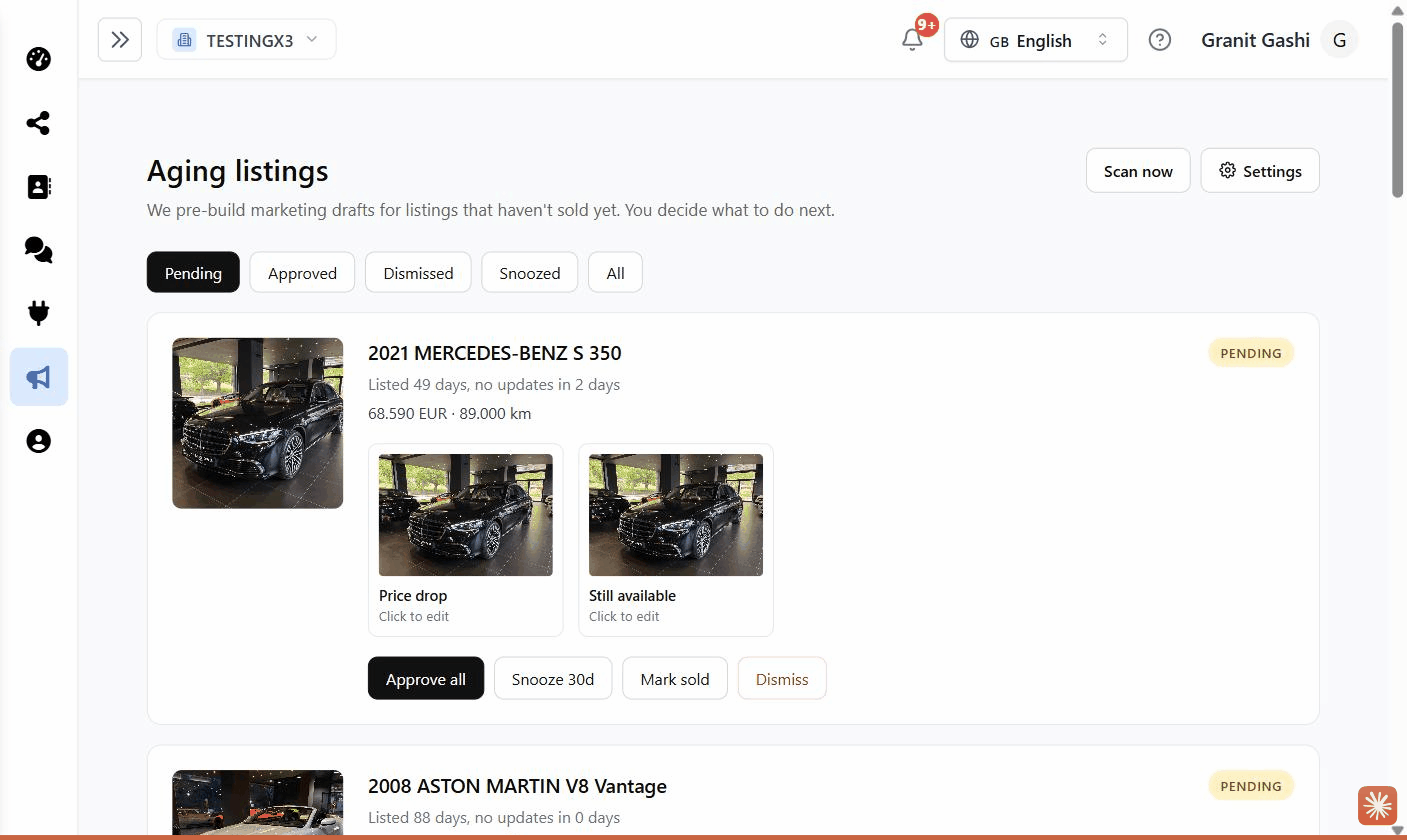
Click Aging Listings in the sidebar. Each card shows the vehicle, how long it’s been listed (e.g. “Listed 52 days, no updates in 8 days”), its price and mileage, and a status badge (Pending, Approved, Snoozed, or Dismissed). Use the filter tabs to switch between them.
Open a draft
Each suggestion comes with ready-made drafts — typically a Price drop and a Still available post. Click a draft thumbnail to open it in the editor, where you can tweak it just like any other post.
Publish or take action
From a draft you can save and share as usual (see Scheduling & publishing). On the card itself you can also:
- Approve all — mark the drafts as approved.
- Snooze 30d — hide this listing for 30 days.
- Mark sold — remove it from future scans.
- Dismiss — dismiss this suggestion.
Settings
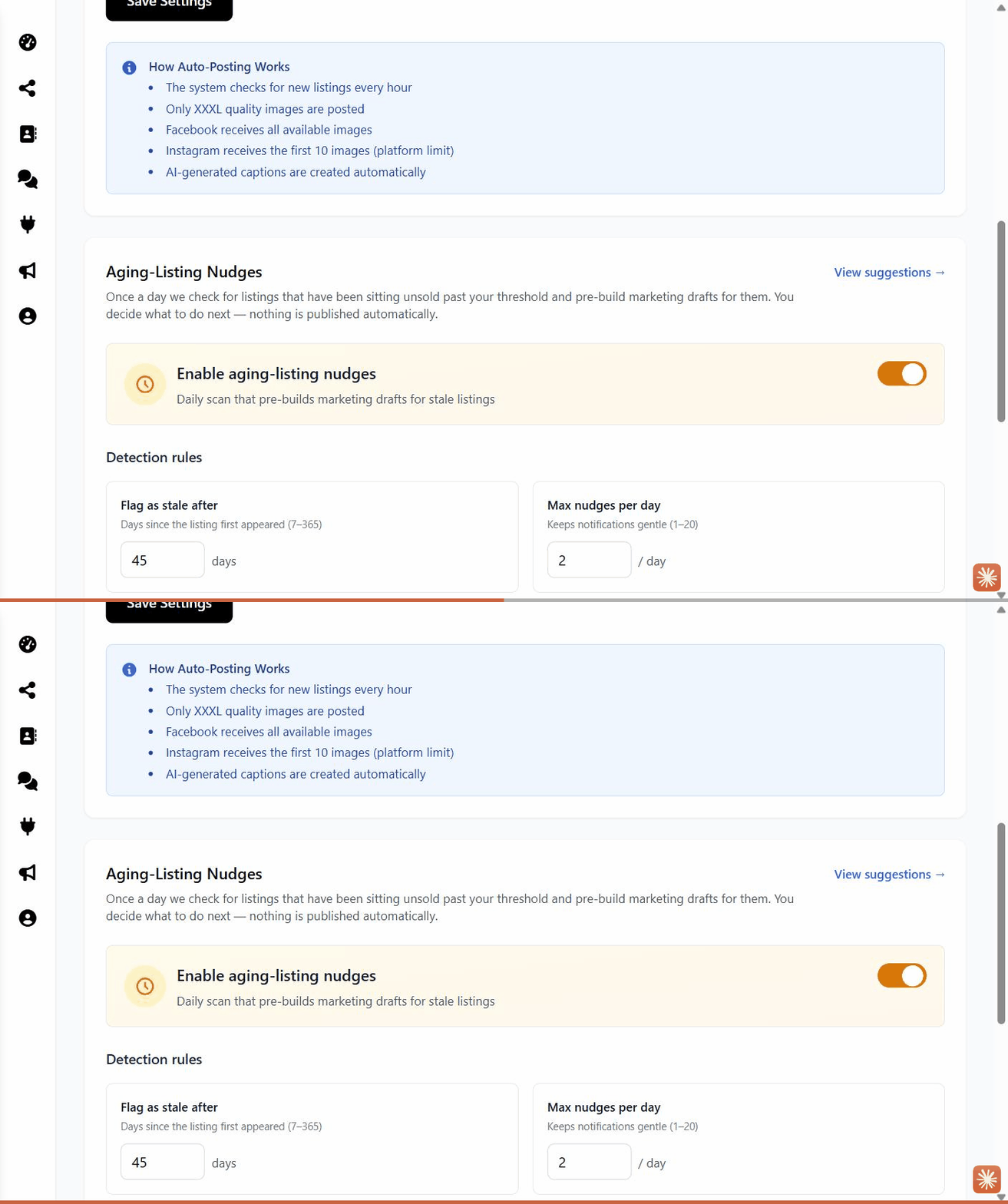
Open Settings and find the Aging-Listing Nudges section to tune how this works:
- Enable aging-listing nudges — the master on/off switch.
- Flag as stale after — how many days a car must sit before it’s flagged (default 45, range 7–365).
- Max nudges per day — how many suggestions you’ll get per scan (default 2), to keep things manageable.
- Marketing post drafts — always prepared for each flagged listing.
- Ad campaign drafts (AI) — optionally have AI draft a paid campaign too.
Turning on Ad campaign drafts (AI) uses AI credits on each daily scan. Leave it off if you only want the standard social post drafts.
Where you’ll be notified
New suggestions appear on the Aging Listings page and in your Notifications. You can also trigger a scan yourself any time with Scan now.