Marketing Center
The Marketing Center is where you turn your inventory into on-brand social content. Pick a ready-made template, drop in one of your vehicles, adjust the colours and text, then publish to Facebook, Instagram, or TikTok — or download the image to use anywhere.
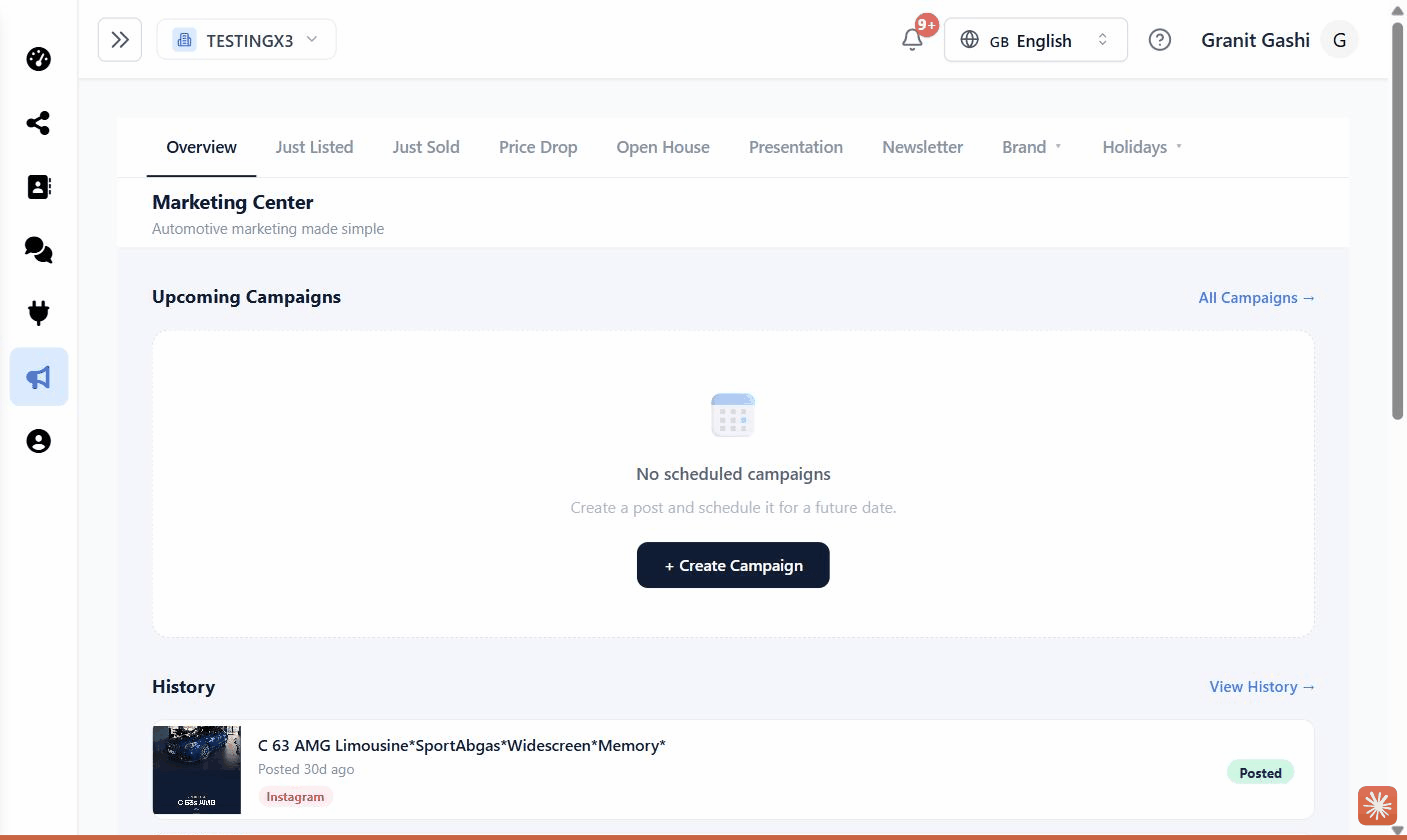
What you can do here
Finding the Marketing Center
Open Marketing Center from the left-hand sidebar. Across the top you’ll see category tabs for the kind of post you want to make:
- Just Listed — announce new inventory
- Just Sold — celebrate a sale
- Price Drop — highlight a reduced price
- Open House — promote an event
- Presentation — build a multi-car shortlist for a customer (see Presentations)
- Newsletter, Brand, and Holidays — seasonal and branded designs
The Marketing Center pulls vehicle photos and details straight from your connected inventory (for example mobile.de), so templates fill in automatically. Connect your inventory first for the smoothest experience.
Ready to publish?
To post directly to Facebook, Instagram, or TikTok you’ll need those accounts connected. See Connecting Facebook & Instagram and Connecting TikTok. You can always Download a post as an image without connecting anything.